
Screenshots
.webp)
.webp)
.webp)
.webp)
App details
- Version
- 5.1
- Size
- 5.01 MB
- Updated
- November 28, 2022
- Requires
- Android 7.0
- Language
- English
- License
- Free
- Developer
- Official genuine
- Category
- Android OS
SoftPas in:
This product is also available in the following languages:
About Aurora VPN APK
Download Aurora VPN APK – Free VPN for Unlimited Surfing, Secure Browsing, Global Access
Overview
Aurora VPN APK is a free desktop and mobile application designed to help users bypass internet restrictions, particularly those imposed by national censorship systems. It enables access to blocked websites and online services, including social media platforms, streaming sites, and international e-commerce platforms. The software is positioned as a reliable solution for users in regions with strict internet controls, such as China, where access to global content is limited. It operates by routing user traffic through a network of proxy servers located worldwide, helping to conceal the user’s IP address and encrypt data transmissions.
The target audience includes travelers, expatriates, digital nomads, and residents in areas with restricted internet access who require consistent and secure access to global online services. The application is marketed as a cost-effective alternative to premium VPN services, offering a free version with no upfront cost. While the developer is identified as "Official genuine," no further details about the company or its background are available. Real-world usage scenarios include accessing Gmail, shopping on Amazon, watching YouTube, and playing international online games. The software supports one-tap connection, aiming to simplify access for users with minimal technical knowledge.
Key Features & Capabilities
- Global Proxy Network: Aurora VPN connects users to over a hundred proxy servers located across various countries, allowing access to region-restricted content and services.
- IP Address Concealment: The software masks the user’s real IP address, helping to maintain anonymity and avoid detection by network monitors.
- Data Encryption: It encrypts data in transit to prevent third-party tracking and unauthorized access to sensitive information.
- One-Tap Connection: Designed for ease of use, the application allows users to establish a secure connection with a single tap, minimizing configuration complexity.
- Unrestricted Browsing: Enables access to blocked websites such as Facebook, YouTube, Google, and international e-commerce platforms.
- Optimized Speed: The software claims to reduce lag and minimize throttling by utilizing optimized server connections for faster performance.
These features are intended to support users in maintaining privacy, accessing global content, and overcoming network restrictions. For example, a traveler in China could use Aurora VPN to access Gmail or YouTube without interruption. A digital nomad might use it to securely connect to work resources while traveling. The app’s focus on simplicity and speed aims to deliver a seamless experience, particularly for non-technical users. However, the developer did not specify the encryption protocols used or the level of security implemented.
User Interface, Workflow & Performance
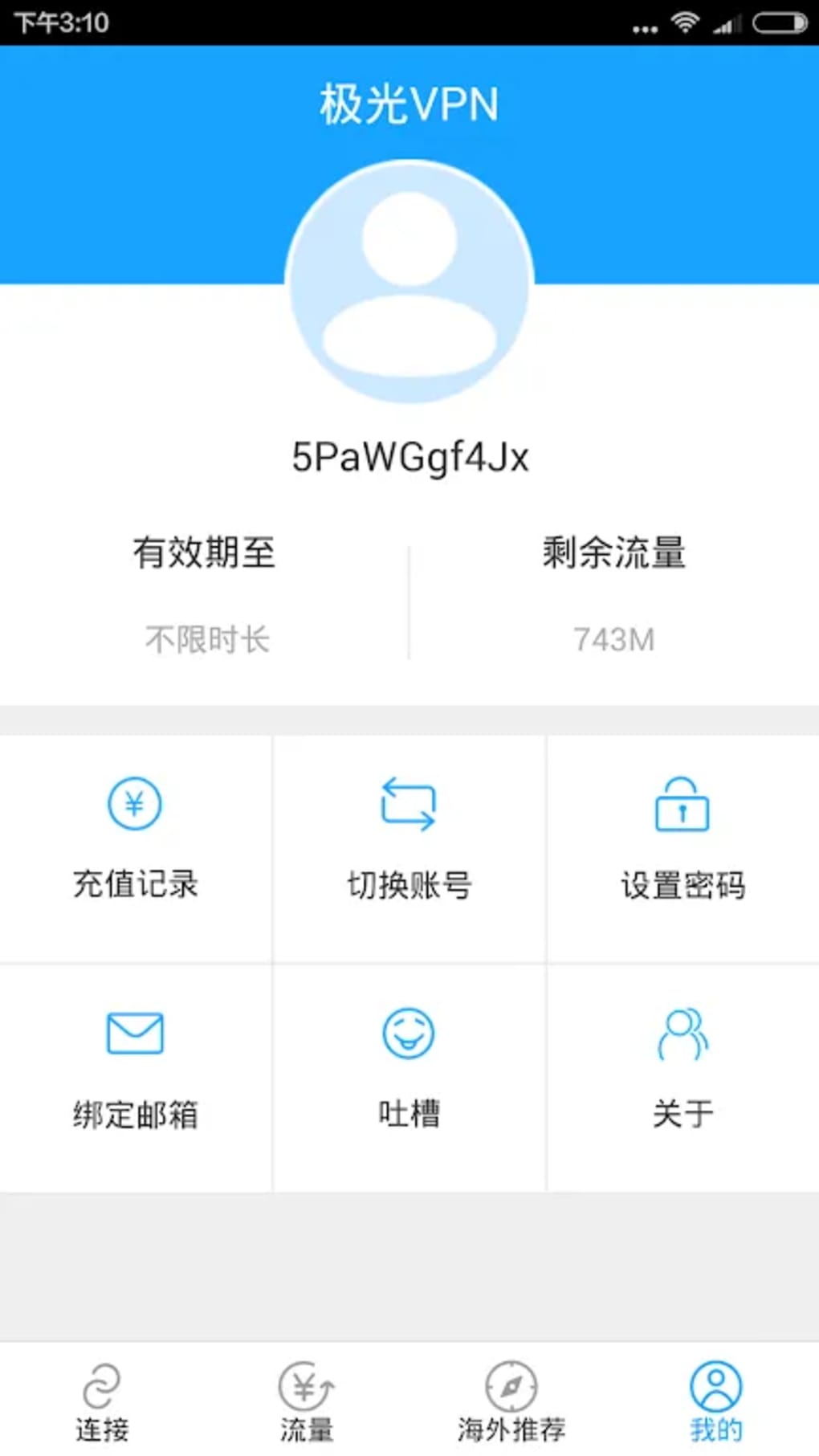
The user interface of Aurora VPN APK is described as simple and user-friendly, prioritizing accessibility for individuals with limited technical experience. Navigation appears to be streamlined, with a central activation button for establishing a connection. The workflow is designed around minimal interaction—users can connect or disconnect with a single tap, reducing the need for configuration. This approach supports quick access to unrestricted content, which is especially valuable in time-sensitive situations.
Performance details were not provided by the developer. General observations suggest that the application aims to deliver fast and stable connections, with claims of lag-free surfing and optimized server routing. However, exact performance metrics such as CPU usage, RAM consumption, or latency rates are not specified. The developer did not include information about background behavior, battery impact, or connection stability under varying network conditions. Users are advised to periodically check their connection status, as occasional disconnections may occur. Without real-world testing data, performance assessments are based on typical behavior of similar applications.
Compatibility & System Requirements
Aurora VPN APK is available for Android and iOS devices, indicating support for mobile operating systems. The software is designed to function on smartphones and tablets, though specific version requirements for these platforms were not detailed. The application is distributed as an APK file, which suggests it is intended for direct installation on Android devices outside official app stores. The installation size was not specified, nor were hardware requirements such as minimum RAM, processor speed, or storage space. The developer did not provide exact system requirements or compatibility with desktop operating systems.
Platform compatibility information is limited. While the app is described as functional on both Android and iOS, no information is available about support for Windows, macOS, or Linux. Users seeking a desktop version may need to rely on third-party emulators or alternative solutions. The developer did not clarify whether the software supports multiple device simultaneous connections or features like split tunneling.
Pros and Cons
Pros
- Free to use with no subscription required
- Over a hundred proxy servers across global locations
- Simple one-tap connection for quick access
- Designed for bypassing internet censorship in restricted regions
- Claims to offer fast and optimized network speeds
- Supports access to blocked social media and streaming platforms
Cons
- Exact system requirements were not listed
- Performance and resource usage details are unspecified
- No information on encryption standards or security protocols
- Connection stability may vary; disconnections reported
- APK distribution may pose security risks if not downloaded from trusted sources
FAQ Section
Is Aurora VPN APK safe to download and use?
While the software is described as secure and designed to encrypt data, the use of APK files from unofficial sources may introduce security risks. Users should only download the application from verified and trusted platforms to minimize exposure to malware.
Can I use Aurora VPN on my desktop computer?
The developer did not specify support for Windows, macOS, or Linux. The application is primarily intended for Android and iOS devices. Desktop users may need to use an emulator or seek alternative solutions.
Does Aurora VPN work in China?
Yes, the software is specifically marketed as a reliable tool for users in China to bypass internet censorship and access blocked websites such as Google, YouTube, and Facebook.
Is there a free version available?
Yes, Aurora VPN APK is offered as a free tool with no cost for basic usage. No premium features or subscription tiers were mentioned in the provided information.
How often is the software updated?
The developer states that the app is regularly updated to ensure optimal performance and security, though specific update frequency details were not provided.
Final Thoughts
Aurora VPN APK presents itself as a straightforward and accessible solution for users seeking to bypass internet restrictions, particularly in regions with strict online controls. Its free model, global server network, and one-tap functionality make it appealing for individuals who need quick and affordable access to blocked content. While the user interface is designed for simplicity, the lack of detailed technical specifications—such as encryption standards, system requirements, and performance metrics—limits a full assessment of its reliability and security. Users should exercise caution when downloading APK files from third-party sources. For those in need of a basic, no-cost tool to access international websites, Aurora VPN APK may serve as a functional option. However, it is essential to remain vigilant about connection stability and data privacy.
Download Aurora VPN APK now to enjoy unrestricted internet access.
Guides & Tutorials
How to install Aurora VPN APK
- Click the Download button above.
- Once redirected, accept the terms and click Install.
- Wait for the Aurora VPN APK download to finish on your device.
How to use Aurora VPN APK
This software is primarily used for its core features described above. Open the app after installation to explore its capabilities.
User Reviews
No reviews yet. Be the first to share your experience.
You may also like
more
ChatGPT APK
Effortlessly generate content with AI ChatGPT is a free artificial intelligence...

Digi
Realistic AI entertainment app Digi - AI Romance, Reimagined is a free AI chatbo...

Gemini
Google’s newest and most powerful AI Gemini is a sophisticated AI model from Goo...

kimi chat APK
Your go-to AI assistant for seamless information processing kimi chat is an AI -...

MateAI AI Chat Bot Assistant APK
An AI-powered chatbot fit for any task MateAI-AI Chat Bot Assistant is a free-to...

Microsoft Copilot APK
Revolutionize your workflow Unleash a new era of productivity with Microsoft Cop...